×
Wireless Support
C Spire Wireless Support
How to check if you have insurance on your device
Easily verify if your device has insurance/wireless protection, or if it's eligible to add it, by following the steps below.
1
Sign in to your
online account
. If you don't have an online account yet,
register now
.
2
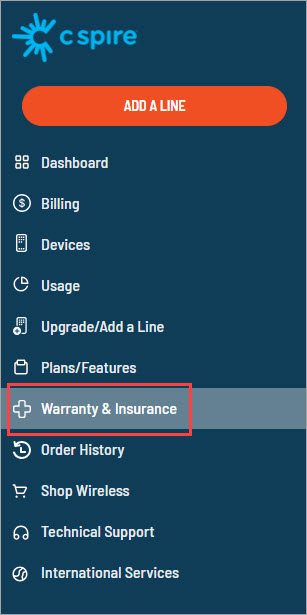
From the side navigation, select
Warranty & Insurance
.
3
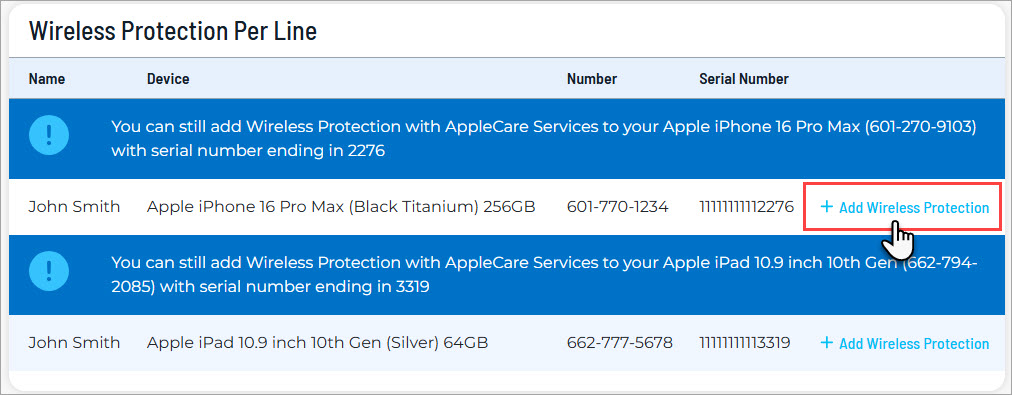
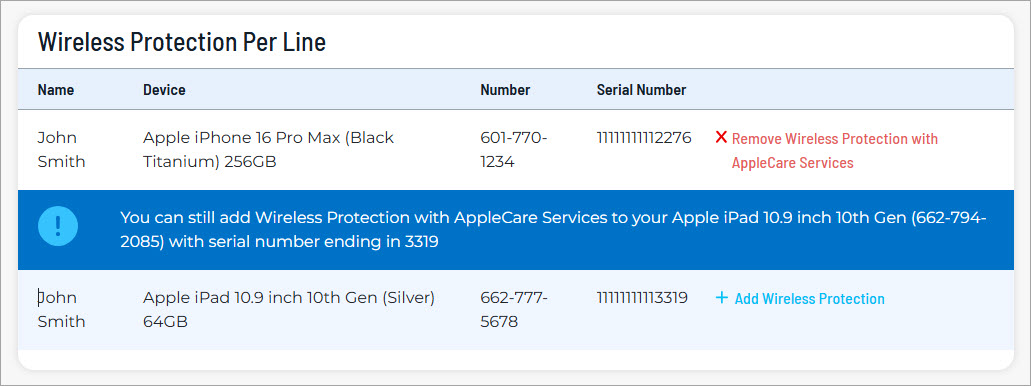
Here you will see all of the devices on your account. If a device is not enrolled in wireless protection, you'll see
Add Wireless Protection
next to the device's serial number. Click this option to see if the device is eligible for wireless protection.
Devices with
Remove Wireless Protection
next to the serial number already have insurance.
4
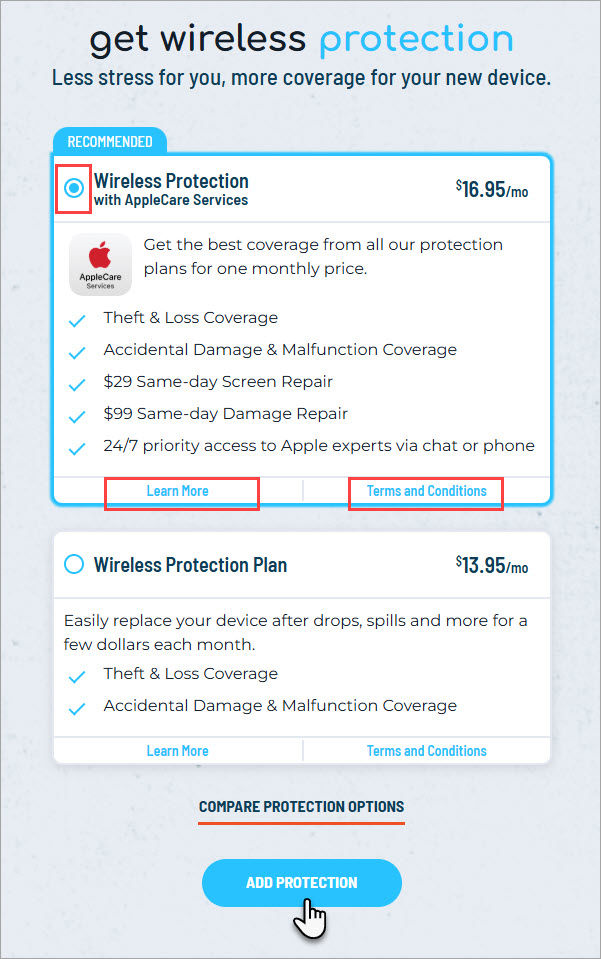
If eligible, you'll see the wireless protection products available for this device. Click to view the
Terms and Conditions
to review the monthly cost, deductible, coverage and exclusions.
5
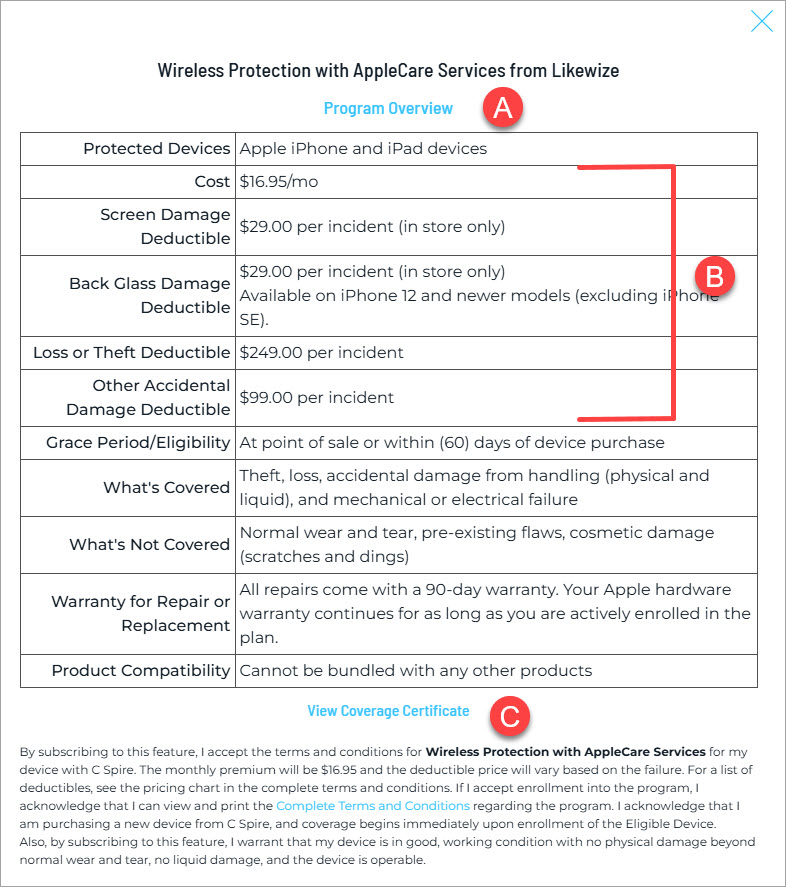
Information available in the Terms and Conditions:
A - The Program Overview link will provide more information about the selected wireless protection product.
B - Here are the monthly cost and per-incident deductibles for the device in this example. The amounts will differ by device.
C - The Coverage Certificate provides additional program information.
6
Accept the agreement for the selected wireless protection product and add it to your device.
7
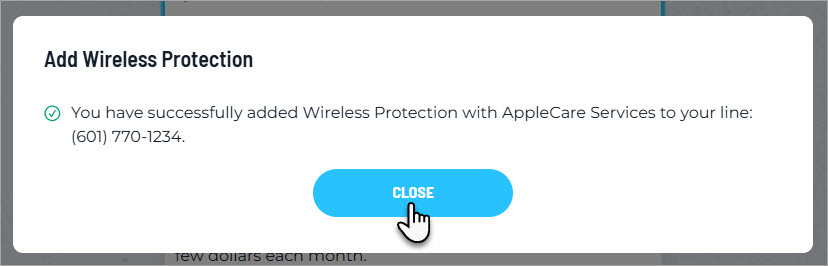
After accepting the above agreement, you will receive a confirmation message that the selected wireless protection product has been added to this device.
8
Wireless Protection can be removed at any time by clicking the "Remove Wireless Protection Plan" link in your account.
For information on our device insurance/wireless protection products,
compare our Wireless Protection products
.