×
Wireless Support
C Spire Wireless Support
How to view your plan details
Viewing the details of your plan is just one of the things you can do in your online account.
1
To start,
sign in to your account
.
If you don’t have an online account yet, learn
how to register for a My Account profile
.
2
Select
Plans/Features
from the side navigation.
3
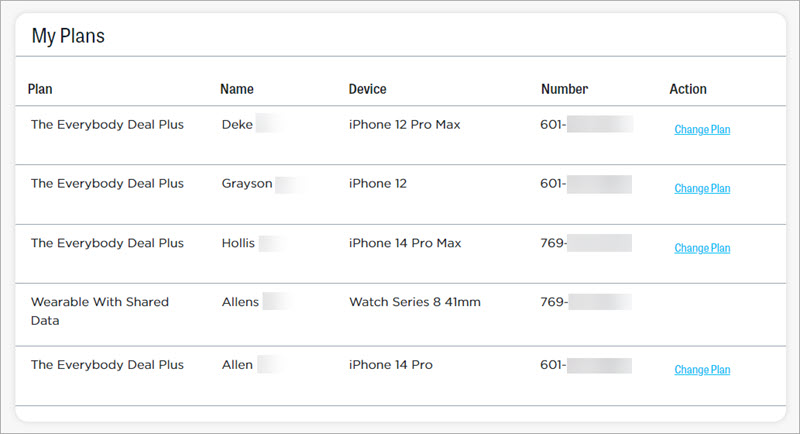
See the plan for each line on your account. You can see available plans, by clicking
Change Plan
.
Note: Do you have a promotional discount on your device? If so, it may be tied to the plan on your line. Changing to a non-qualified plan before the end of the promotional period may result in being charged the remaining balance for the discounted smartphone.
4
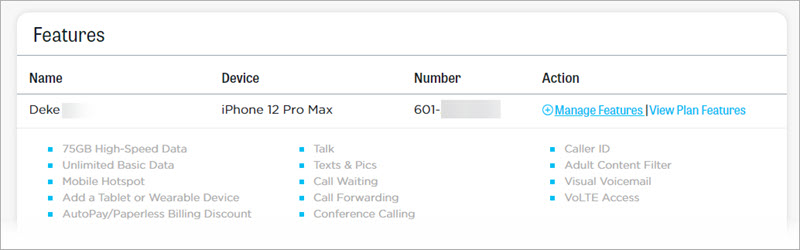
Scroll down to the
Features
section, and click
View Plan Features
for a particular line to see the features included in your plan plus any features you've added. Choose
Manage Features
to add or remove additional features.