×
Previous
Next
Holiday Bundle
Wireless Support
C Spire Wireless Support
How to view your current C Spire bill online
How to view your current C Spire bill online
View the details of your bill and print a copy by accessing your online account. Here's how:
1
Sign in
to your online account.
2
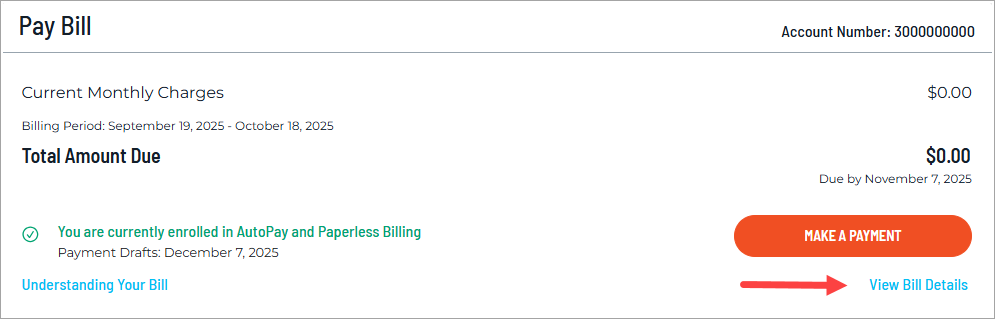
On your account dashboard, click the
View Bill Details
link below the Make A Payment button.
3
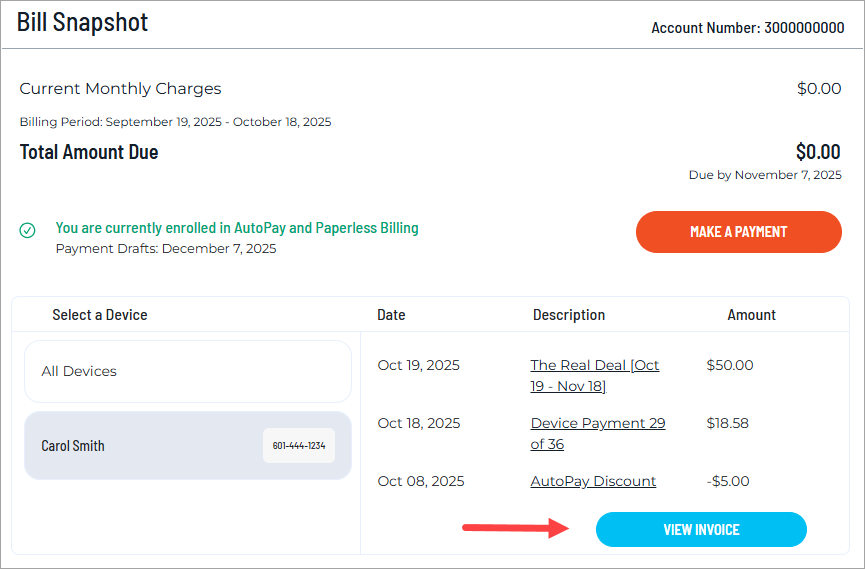
On the Bill Snapshot, you can select each of your lines to see individual charges for the current month. Click
View Invoice
for your complete bill.
4
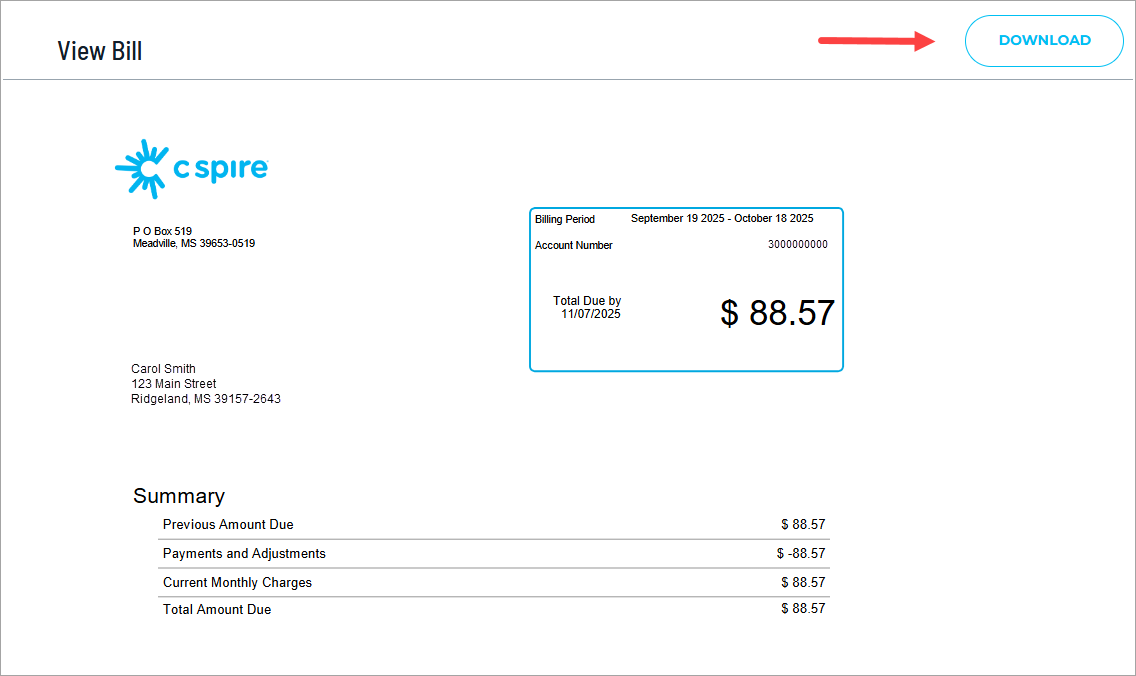
Scroll through each page of your bill or click
Download
to print a copy. For help understanding your bill, see
How to understand your C Spire bill
.