Wireless Support
- Holiday Bundle
How to set up AutoPay and Paperless Billing for your C Spire Wireless bill
AutoPay
Enjoy the convenience of knowing that your C Spire Wireless bill will be paid automatically each month with AutoPay. Automatic payments will be charged to your credit/debit card or deducted from your bank account.
Enjoy the convenience of knowing that your C Spire Wireless bill will be paid automatically each month with AutoPay. Automatic payments will be charged to your credit/debit card or deducted from your bank account.
Paperless Billing
Upon enrolling in AutoPay, your account will also be enrolled in paperless billing. You'll receive an email each month when your bill is ready to be viewed, but you'll still be able to view and print the 12 most recent bills through your online account.
Upon enrolling in AutoPay, your account will also be enrolled in paperless billing. You'll receive an email each month when your bill is ready to be viewed, but you'll still be able to view and print the 12 most recent bills through your online account.
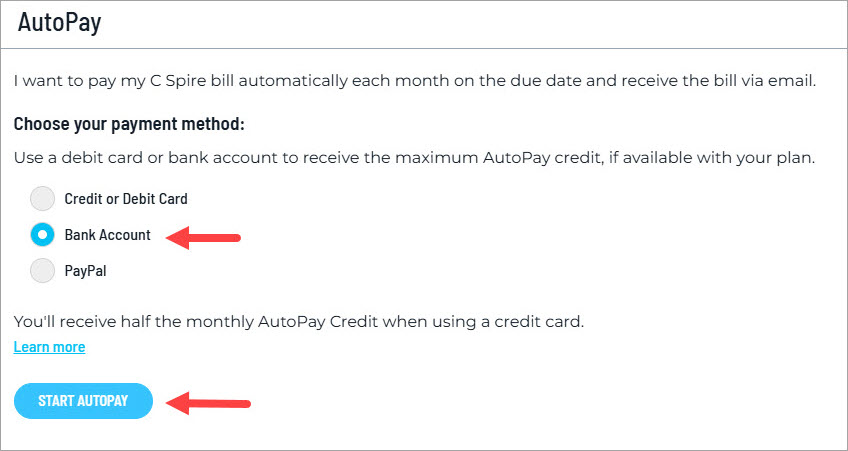
IMPORTANT: You'll receive the full monthly AutoPay credit, if applicable, when you use a bank account or debit card for AutoPay. You'll receive half the monthly credit amount if you use a credit card.
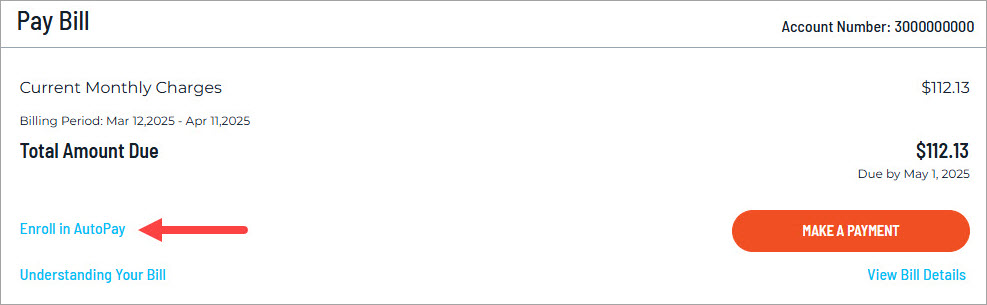
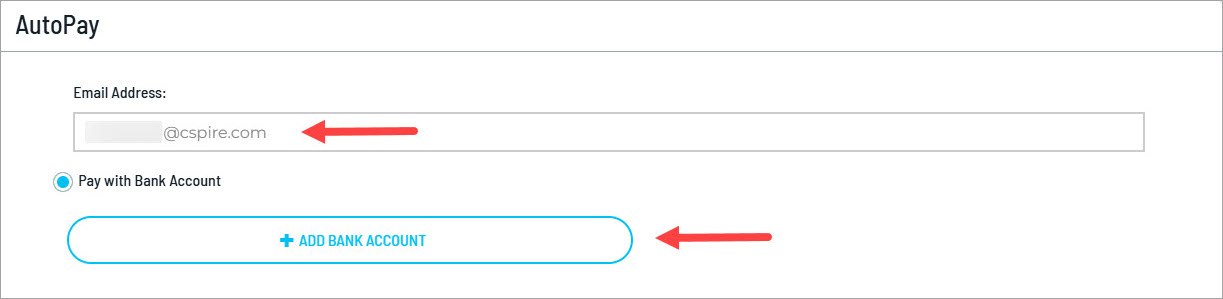
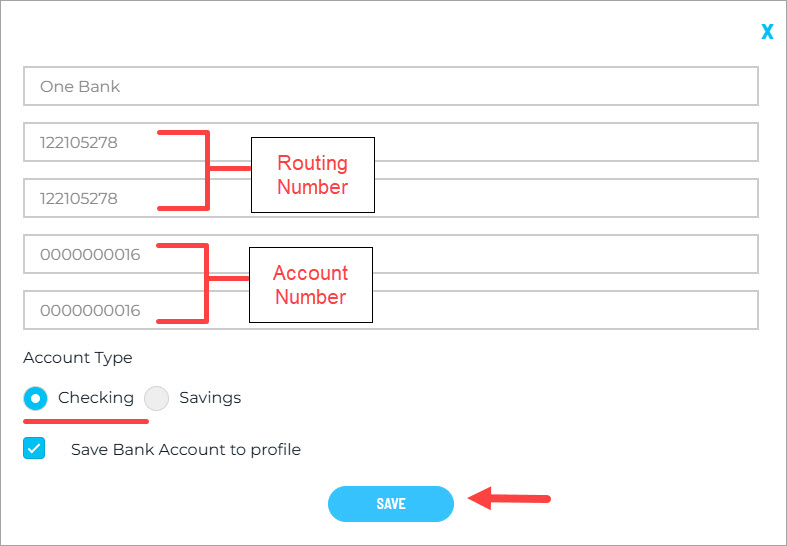
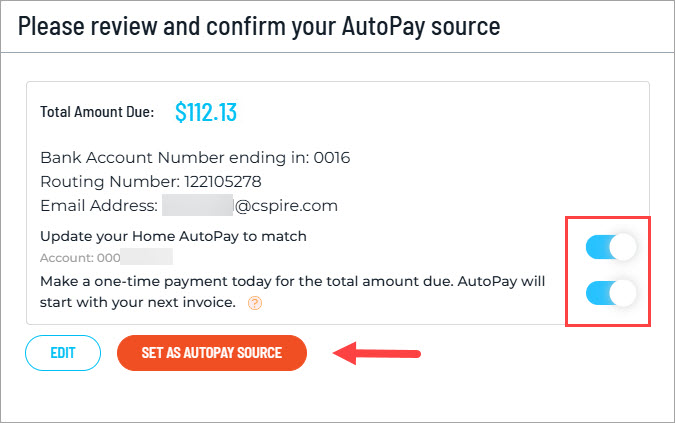
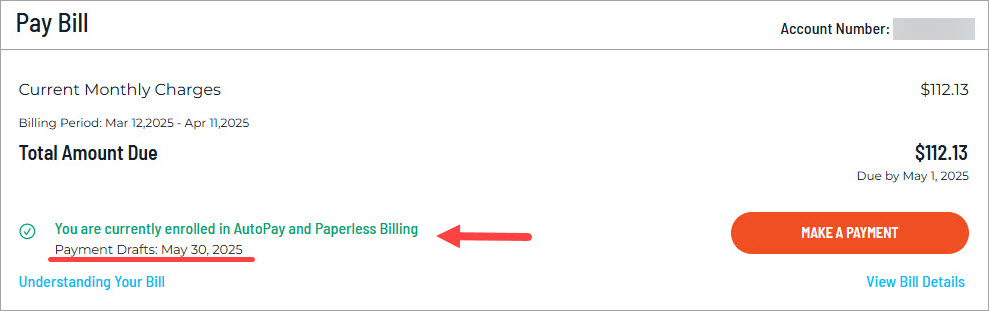
Below are the steps for setting up AutoPay and Paperless Billing for your C Spire Wireless bill. In this example, we're using a bank account as the payment method.
1
Sign in to your online account.
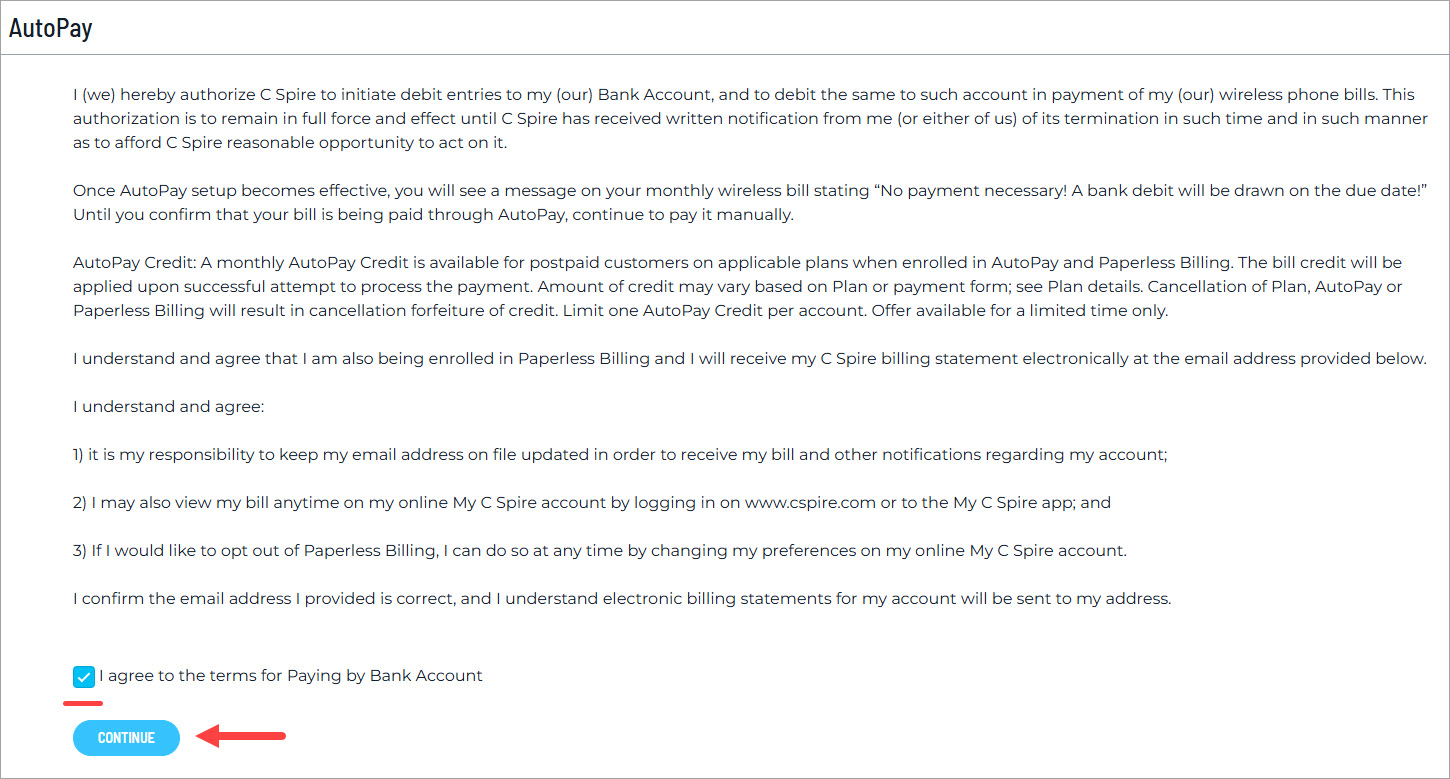
The AutoPay and Paperless Billing Terms and Conditions
I (we) hereby authorize C Spire to initiate debit entries to my (our) Bank Account, and to debit the same to such account in payment of my (our) wireless phone bills. This authorization is to remain in full force and effect until C Spire has received written notification from me (or either of us) of its termination in such time and in such manner as to afford C Spire reasonable opportunity to act on it.
Once AutoPay setup becomes effective, you will see a message on your monthly wireless bill stating "No payment necessary! A bank debit will be drawn on the due date!" Until you confirm that your bill is being paid through AutoPay, continue to pay it manually.
AutoPay Credit: A monthly AutoPay Credit is available for postpaid customers on applicable plans when enrolled in AutoPay and Paperless Billing. The bill credit will be applied upon successful attempt to process the payment. Amount of credit may vary based on Plan or payment form; see Plan details. Cancellation of Plan, AutoPay or Paperless Billing will result in cancellation forfeiture of credit. Limit one AutoPay Credit per account. Offer available for a limited time only.
I understand and agree that I am also being enrolled in Paperless Billing and I will receive my C Spire billing statement electronically at the email address provided below.
I understand and agree:
- It is my responsibility to keep my email address on file updated in order to receive my bill and other notifications regarding my account;
- I may also view my bill any time on my online My C Spire account by logging in on www.cspire.com or to the My C Spire app; and
- If I would like to opt out of Paperless Billing, I can do so at any time by changing my preferences in my online My C Spire account.
