×
Wireless Support
C Spire Wireless Support
How to check or change your current payment method with My C Spire app
How to check or change your current payment method with My C Spire app
Make changes to your payment method at anytime with the
My C Spire
app by following the steps below.
1
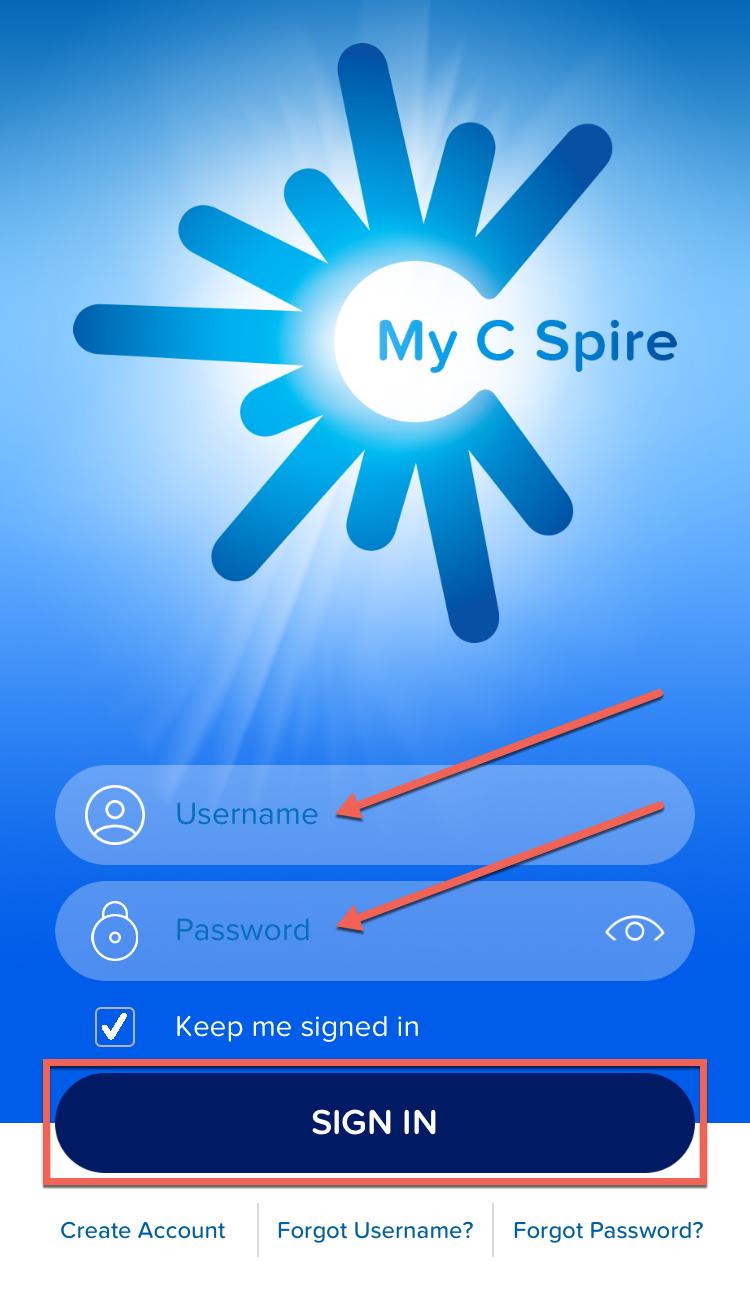
Open the
My C Spire
app on your device and sign in.
2
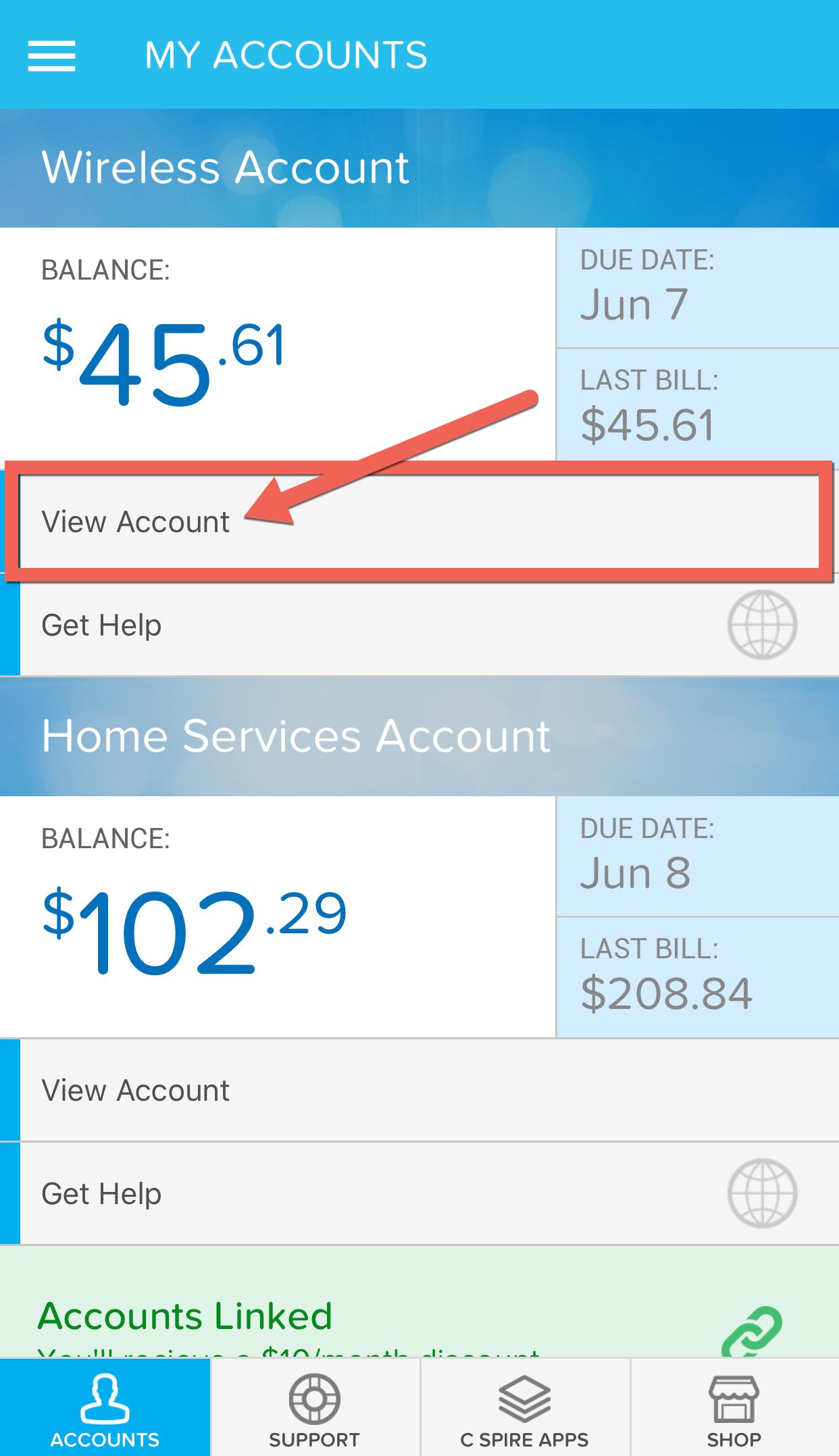
If you have linked your Wireless and Fiber accounts, tap
View Account
below your Wireless account balance.
3
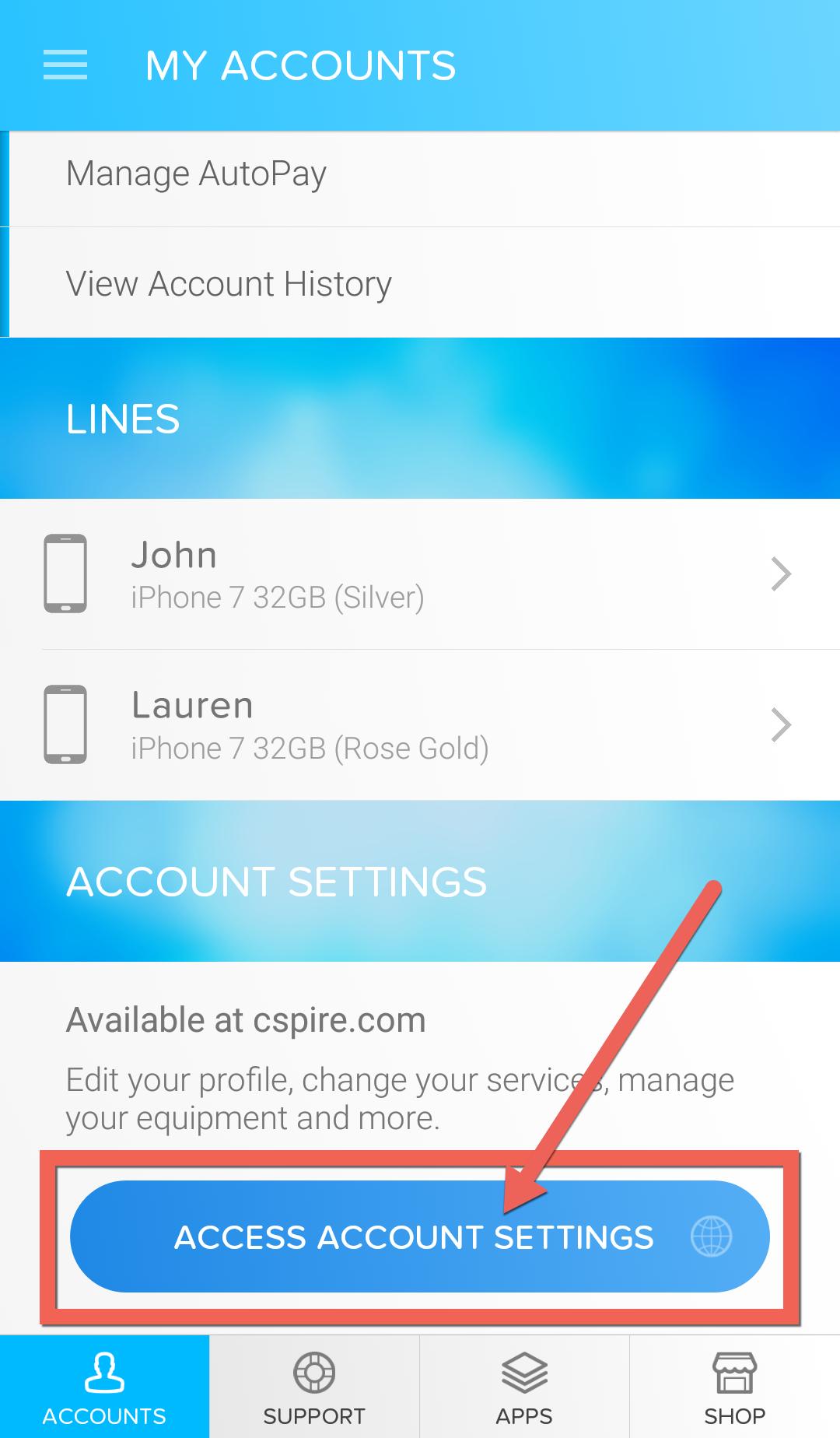
Scroll down to the bottom and tap
Access Account Settings
.
4
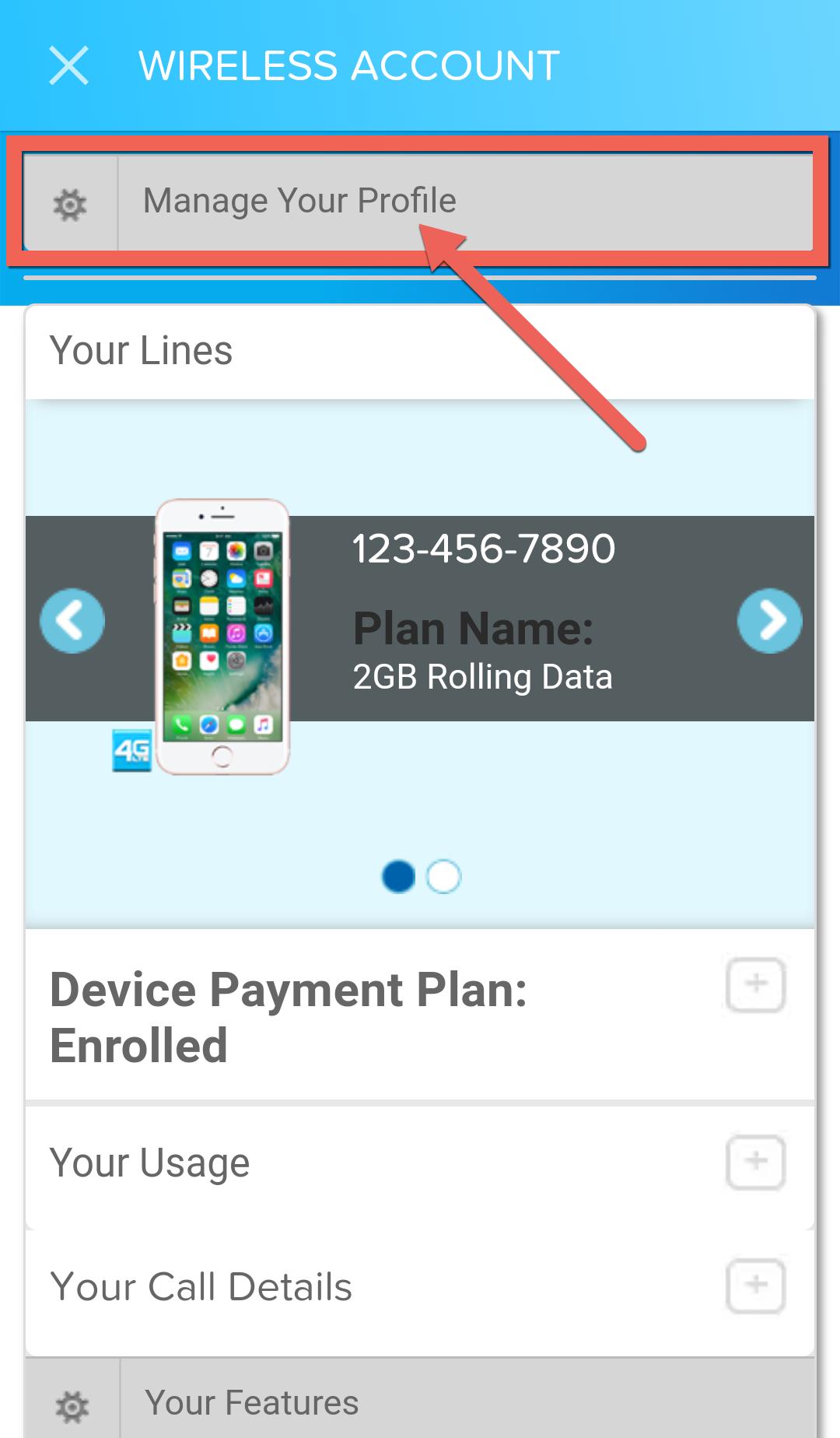
At the top, tap
Manage Your Profile
.
5
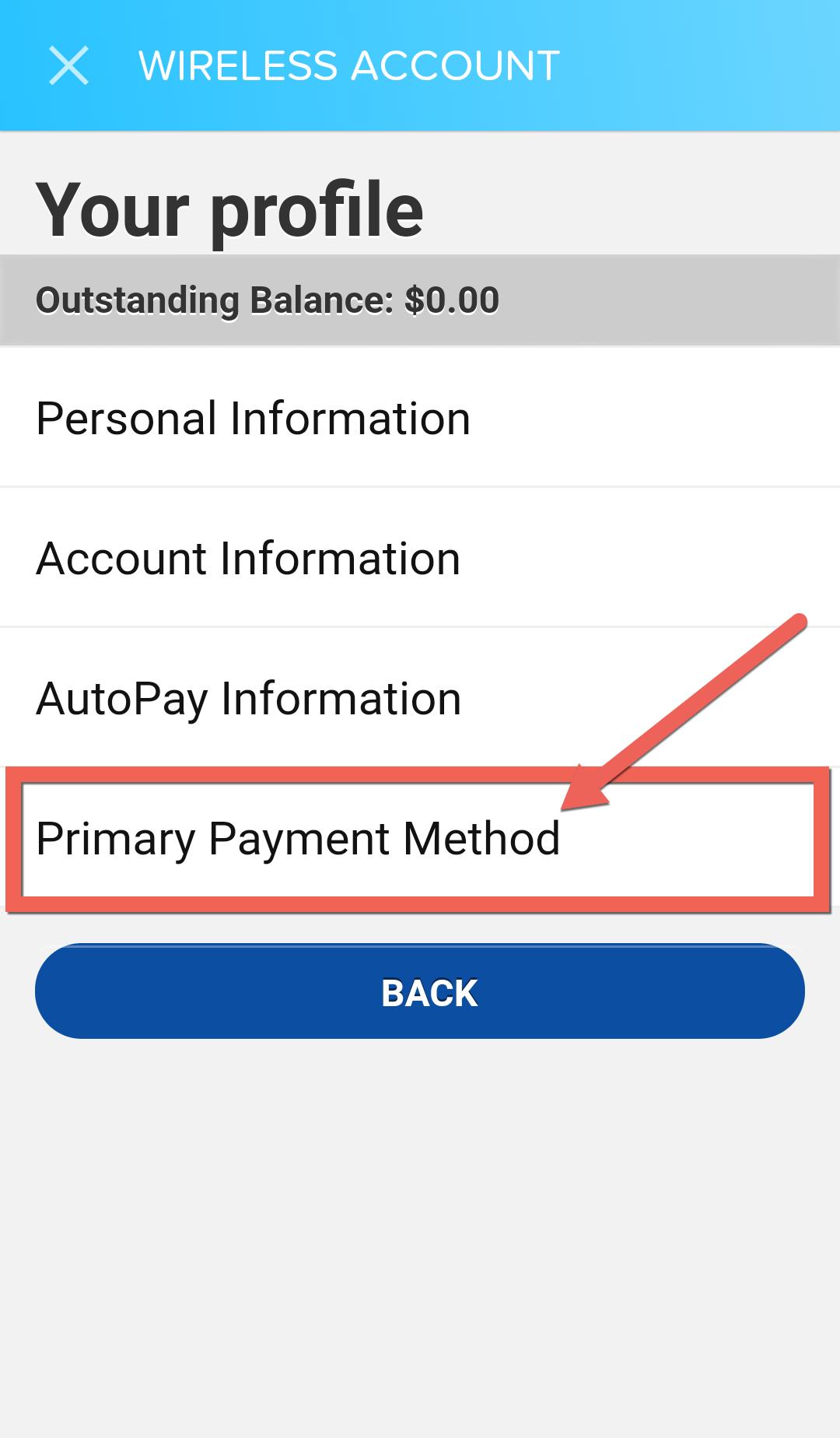
Tap
Primary Payment Method
.
6
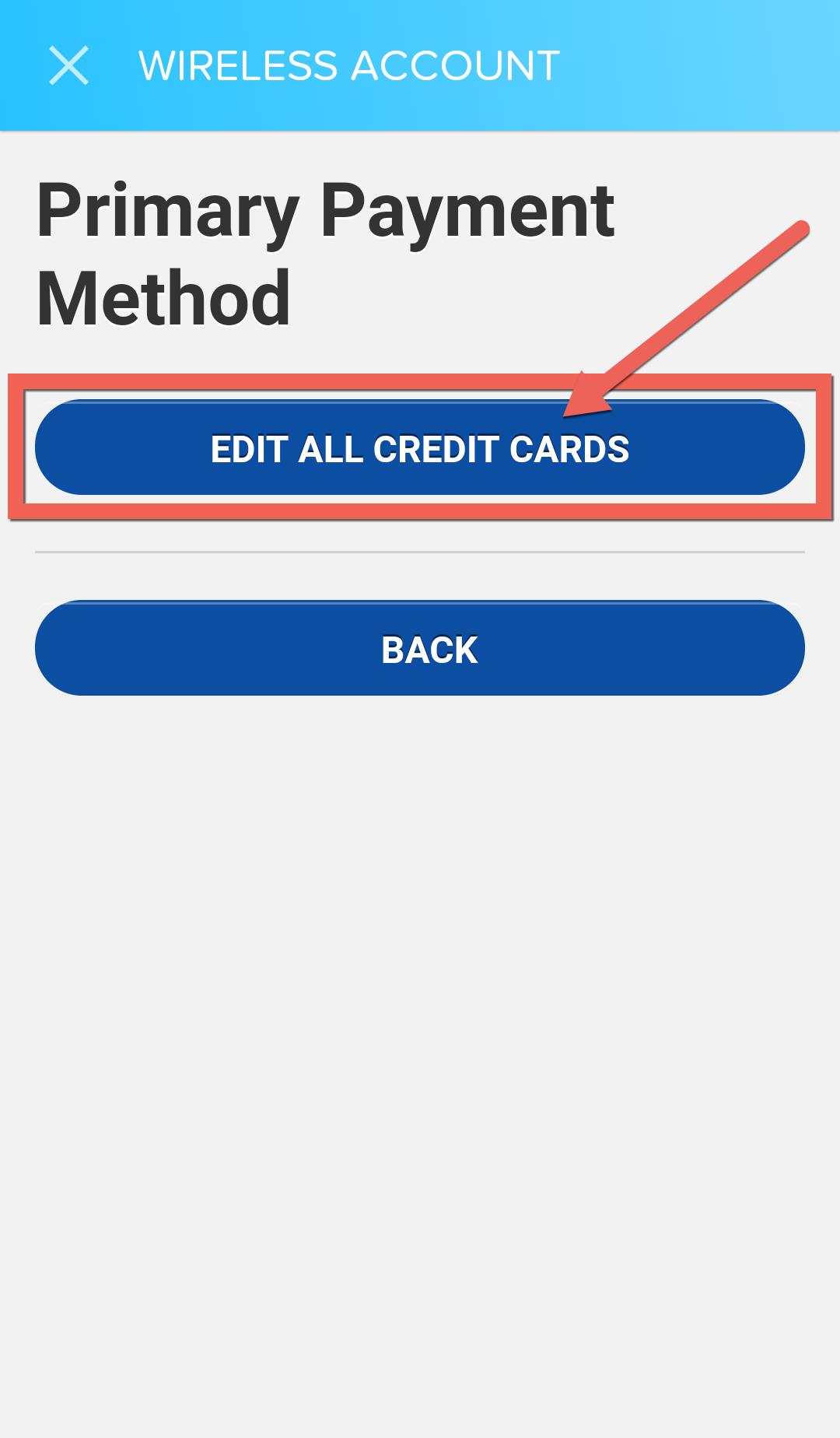
Tap
Edit All Credit Cards
.
7
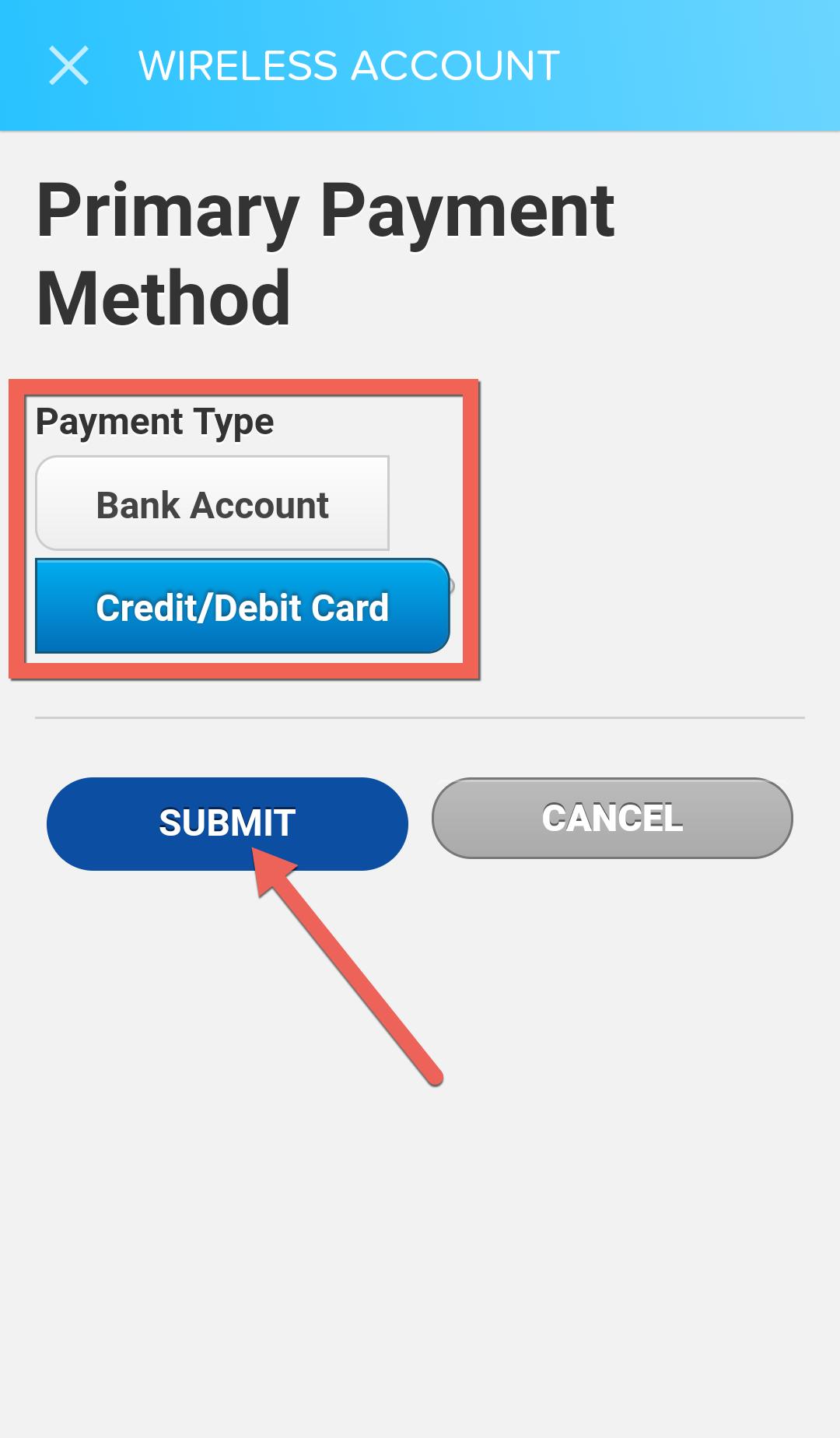
Your current payment method will appear already selected. To change it, tap the type you want to change it to, then tap
Submit
.
8
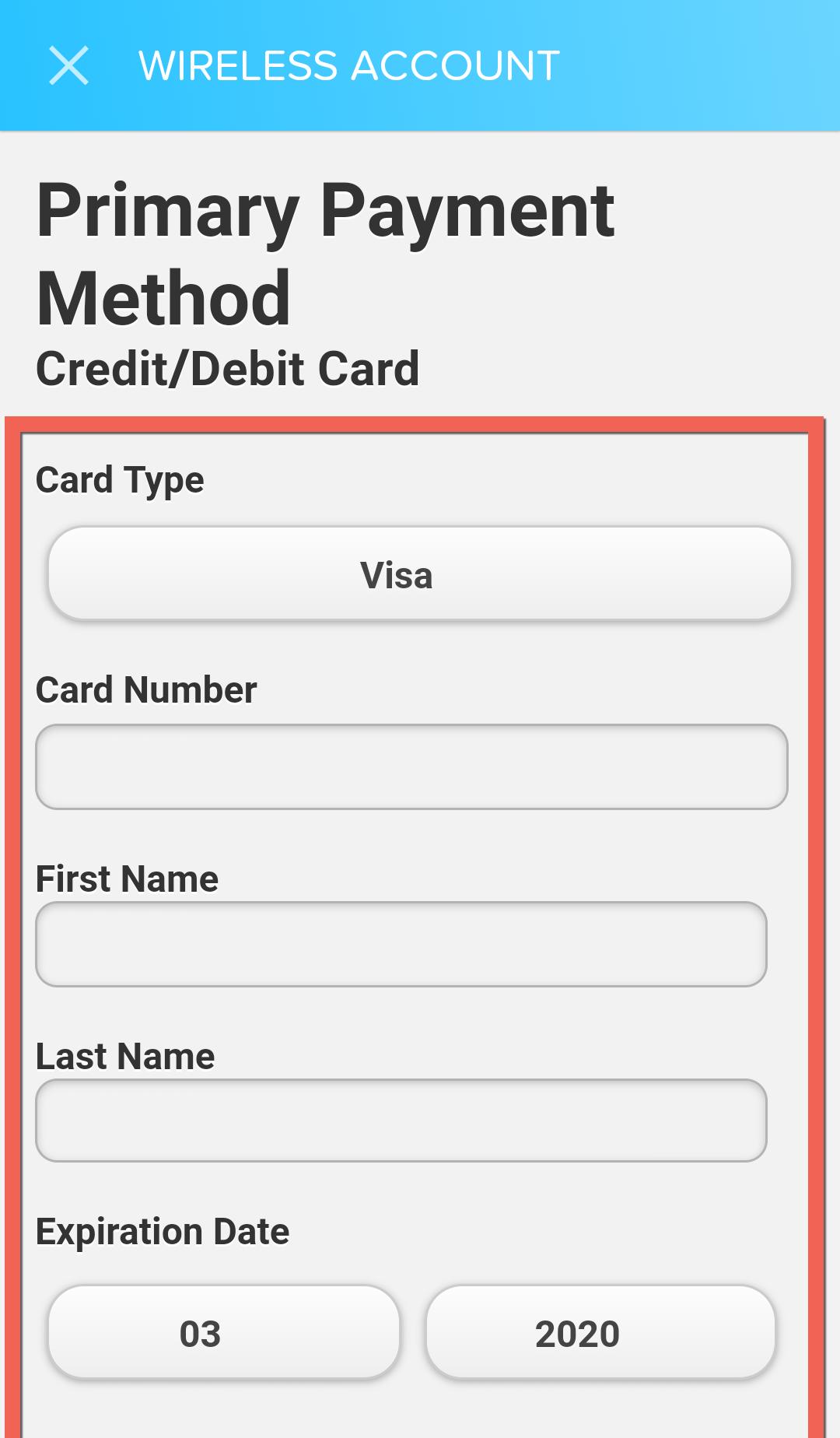
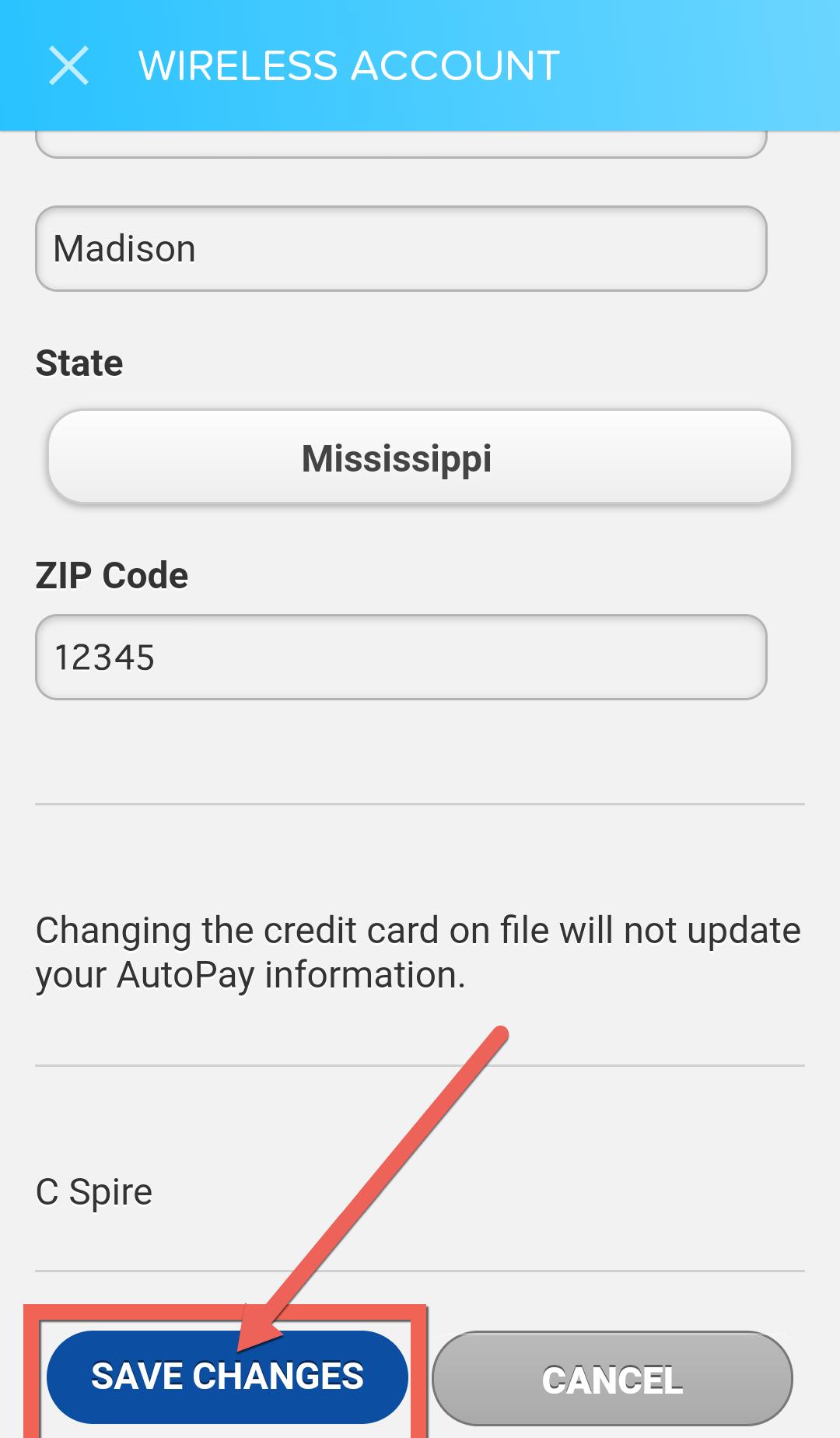
Fill out or change the required fields for the payment type you selected.
9
Tap
Save Changes
to apply the new payment information.