Wireless Support
- Holiday Bundle
What is a CPNI PIN and how do I get one?
CPNI stands for Customer Proprietary Network Information. Carriers are required to protect your usage and billing information from improper use and unauthorized access. To do that, we make this type of information accessible only to the account holder through a six-digit CPNI PIN.
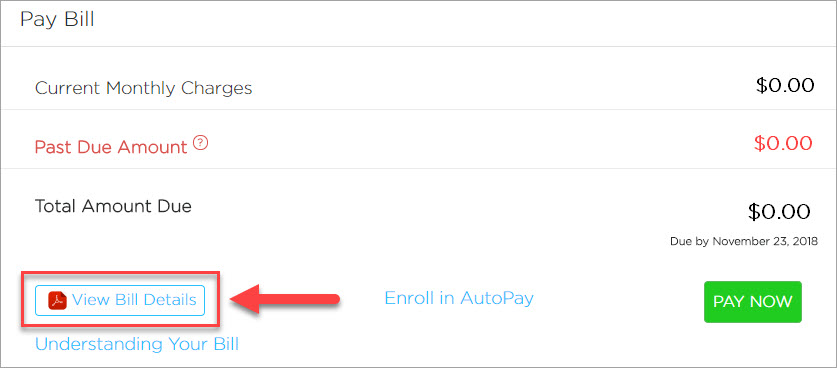
The first time you try to view an electronic copy of your bill or access your usage details, you’ll be asked to enter your six-digit CPNI PIN. Since you probably don’t have this PIN yet, you’ll be able to request one at that time. For security purposes, the CPNI PIN will be mailed to the account holder at the address used to set up the C Spire account.
After receiving the CPNI PIN via mail, you can enter it the next time you access your bill detail or usage records. You’ll only need to enter it once. After that, billing and usage information will be accessible when you sign in to your online account.
Note: The CPNI PIN can only be entered at cspire.com on a desktop or mobile device. At this time, you cannot enter the PIN in the My C Spire app.
1
Sign in to your online account.
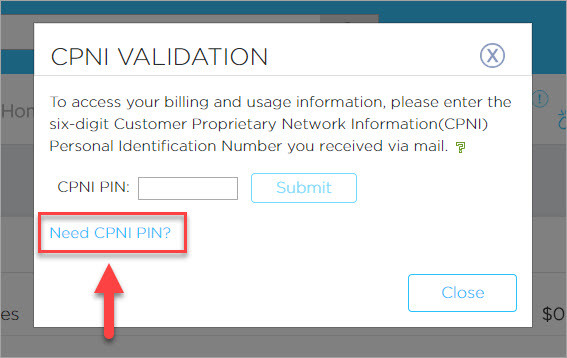
After you've received your CPNI PIN, repeat steps 1 and 2, and enter the six-digit CPNI PIN where requested. You will only need to enter this PIN once.
