Wireless Support
How to register for My Account using the My C Spire app
By using C Spire's My Account service, you can easily manage your account from your device. You can check your bills, view usage, update your devices, change your plans, and much more. To register for a My Account profile, follow the steps below.

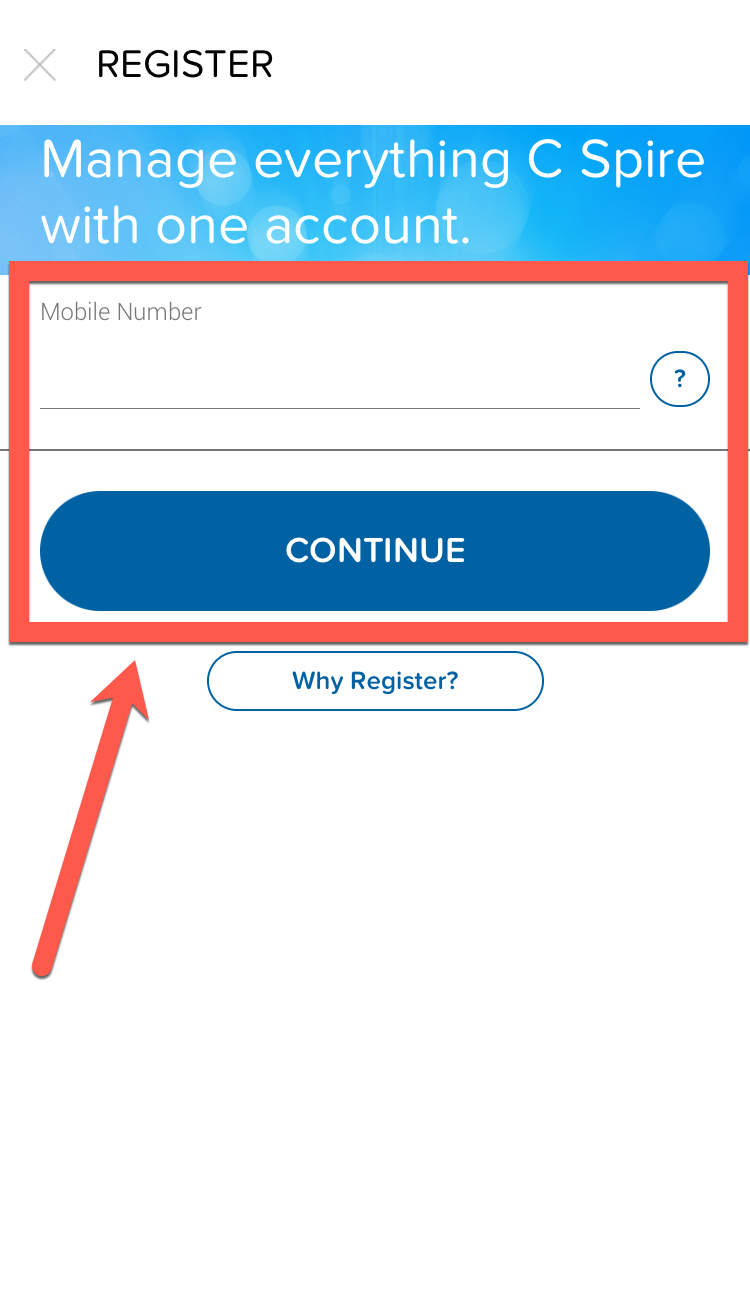
3
A truncated version of your first and last name will appear at the top of the screen. Make sure this is your information. If the information shown isn’t correct, select Click here if this is not your information.
4
Now, enter a username and password for the account. The password must be between 6 and 20 characters and can only include letters and numbers. Both the username and password are case sensitive.
5
If no one else on your account has registered for a profile, you can choose to become the primary user on the account. As the primary user, you’ll be able to access information for all other lines on your account. If you’re also a C Spire Fiber/Home customer, you can choose to manage your fiber account with this same username and password.
Select the appropriate option(s) and click Continue.
6
If you choose to become the primary user, continue as below:
- Tap the Your C Spire Wireless Account checkbox.
- Enter the last four digits of your Social Security Number, then select and answer three security questions.
- Choose whether you want to receive your bill by email or post mail. Selecting Email will enroll you in Paperless Billing.
- Tap Continue.
7
Review the Terms and Conditions for using the My Account service and My C Spire app, and for participating in any rewards programs, then click Continue.
8
A text message with a 4-digit PIN will be sent to the mobile number you used at the start of the registration process. Once you receive the text, enter the PIN and tap Finish to complete the My Account registration.
You can now sign in to the My Account service with the username and password you selected and begin managing your account.
