×
Wireless Support
C Spire Wireless Support
How to find out when your bill is due
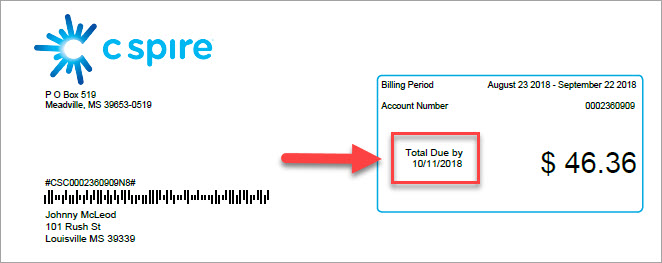
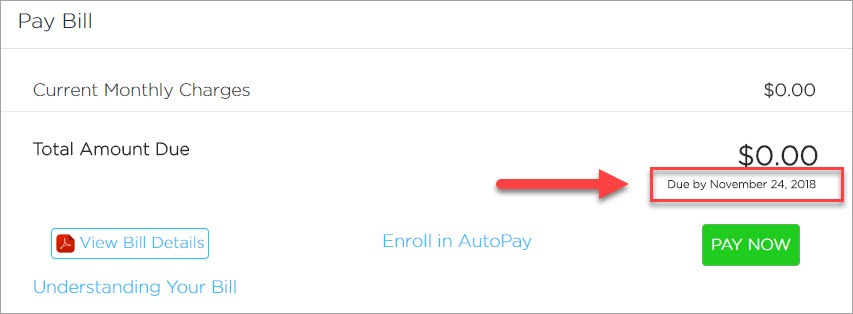
Your payment due date is available on the home screen of your online account and on the first page of your monthly bill.
1
Sign in
to your online account.
2
On your account Dashboard, look for the
Pay Bill
section. Below your balance, you will see the payment due date.
3
If you're looking at a copy of your bill, you can find your payment due date in the top right corner of the first page.
If you're enrolled in AutoPay, funds will be drafted on the payment due date.