Wireless Support
How to disable Find My iPhone
You can turn off the Find My iPhone feature for your iPhone by following the steps below.

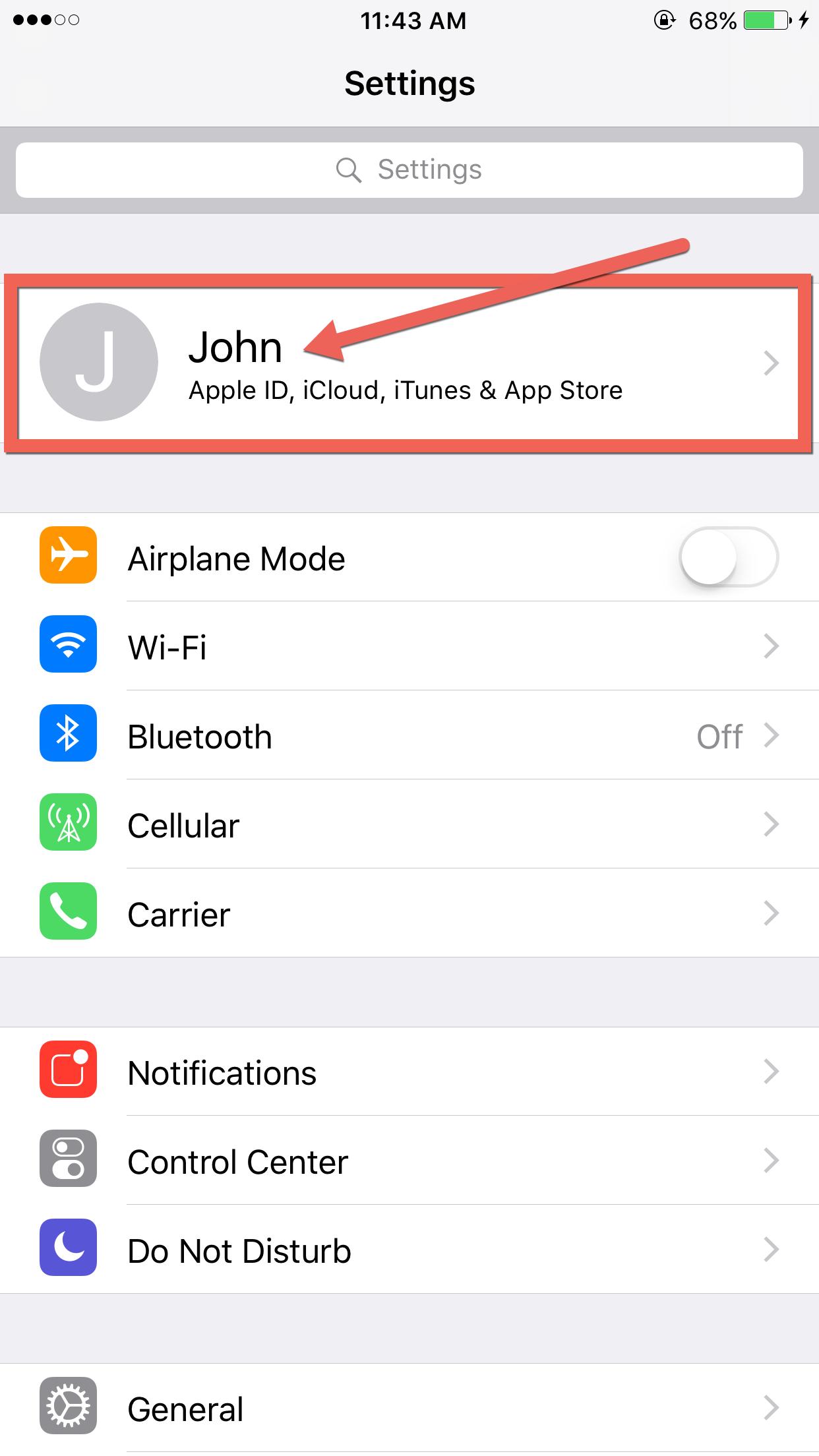
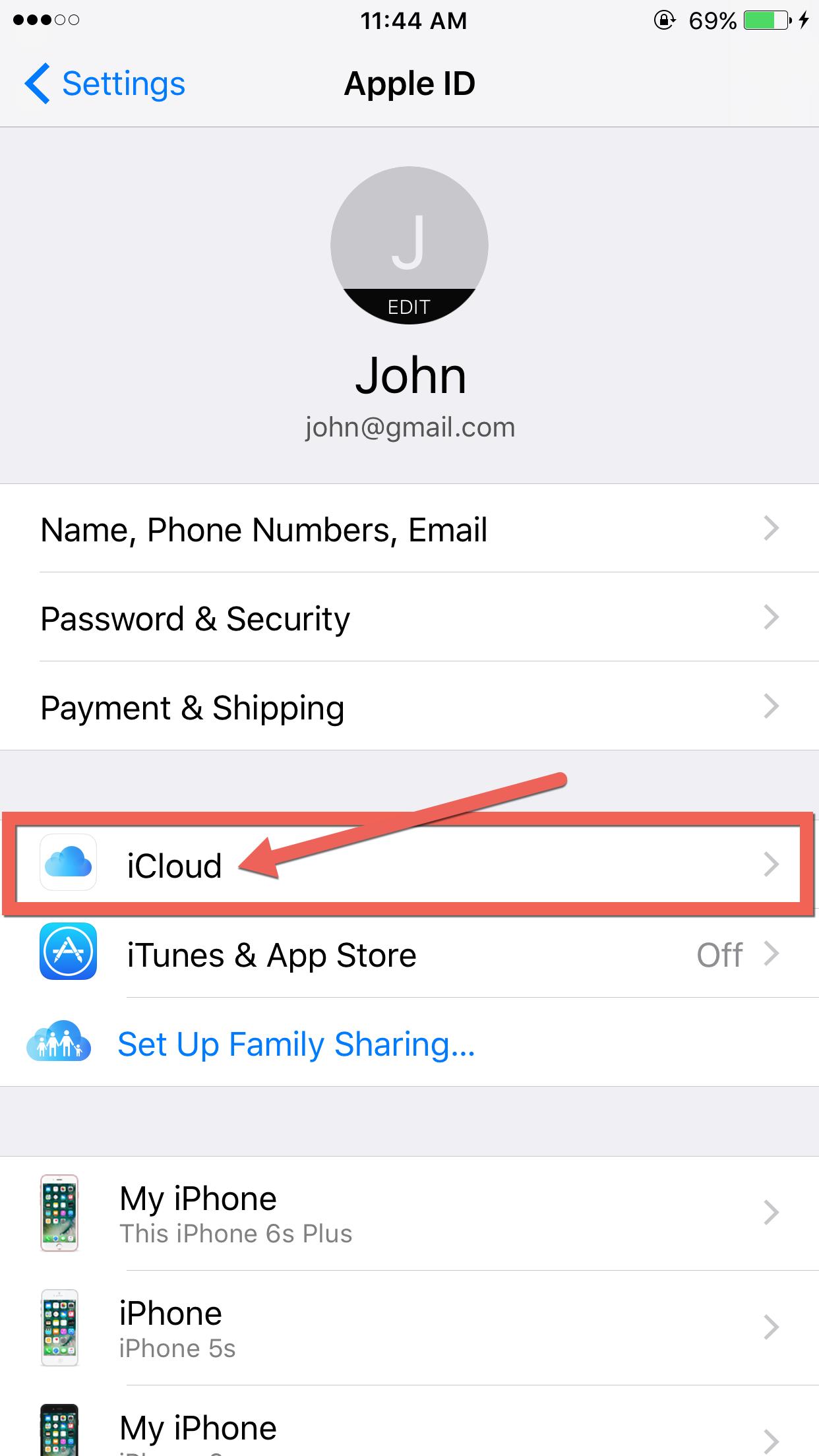
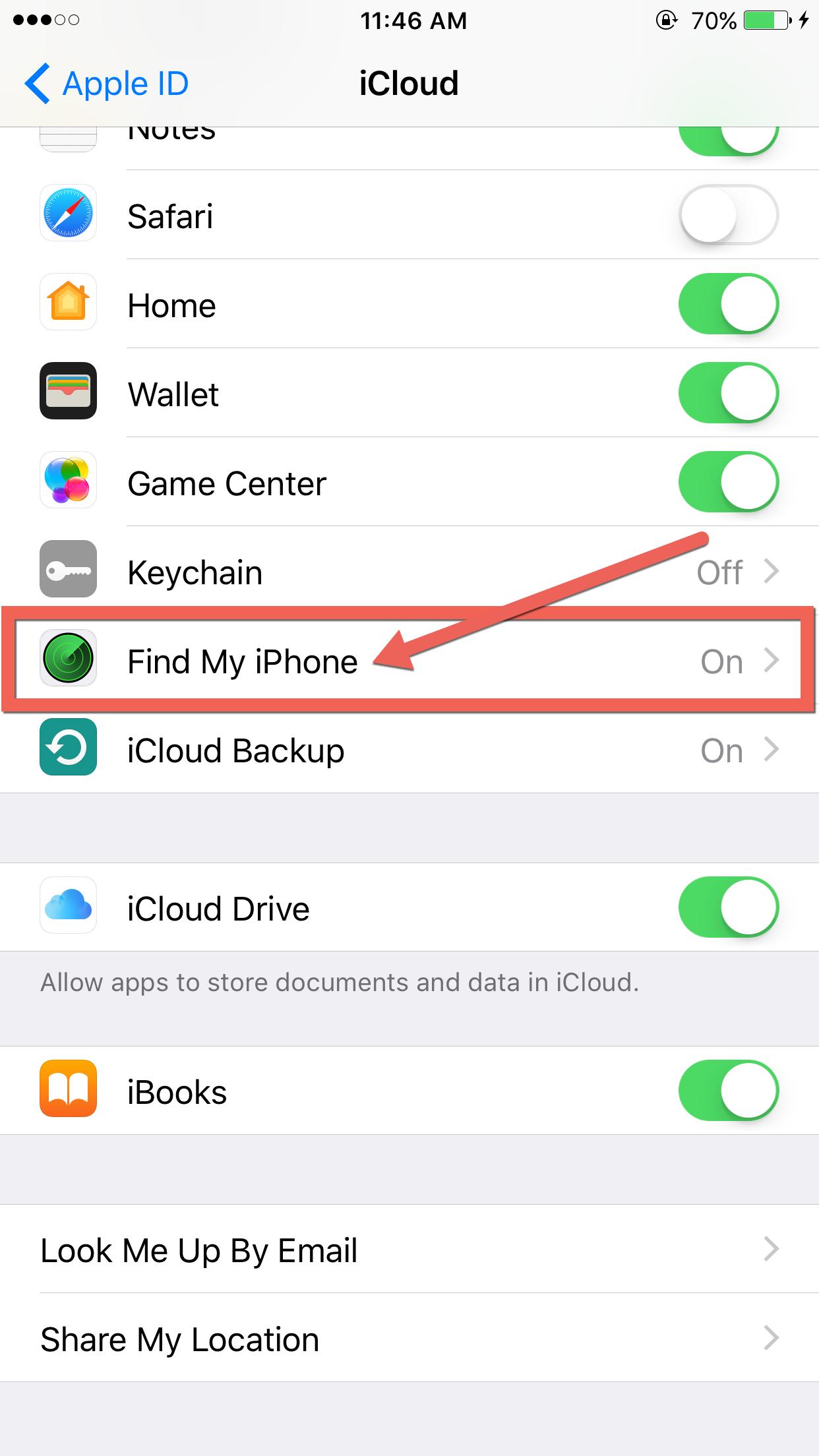
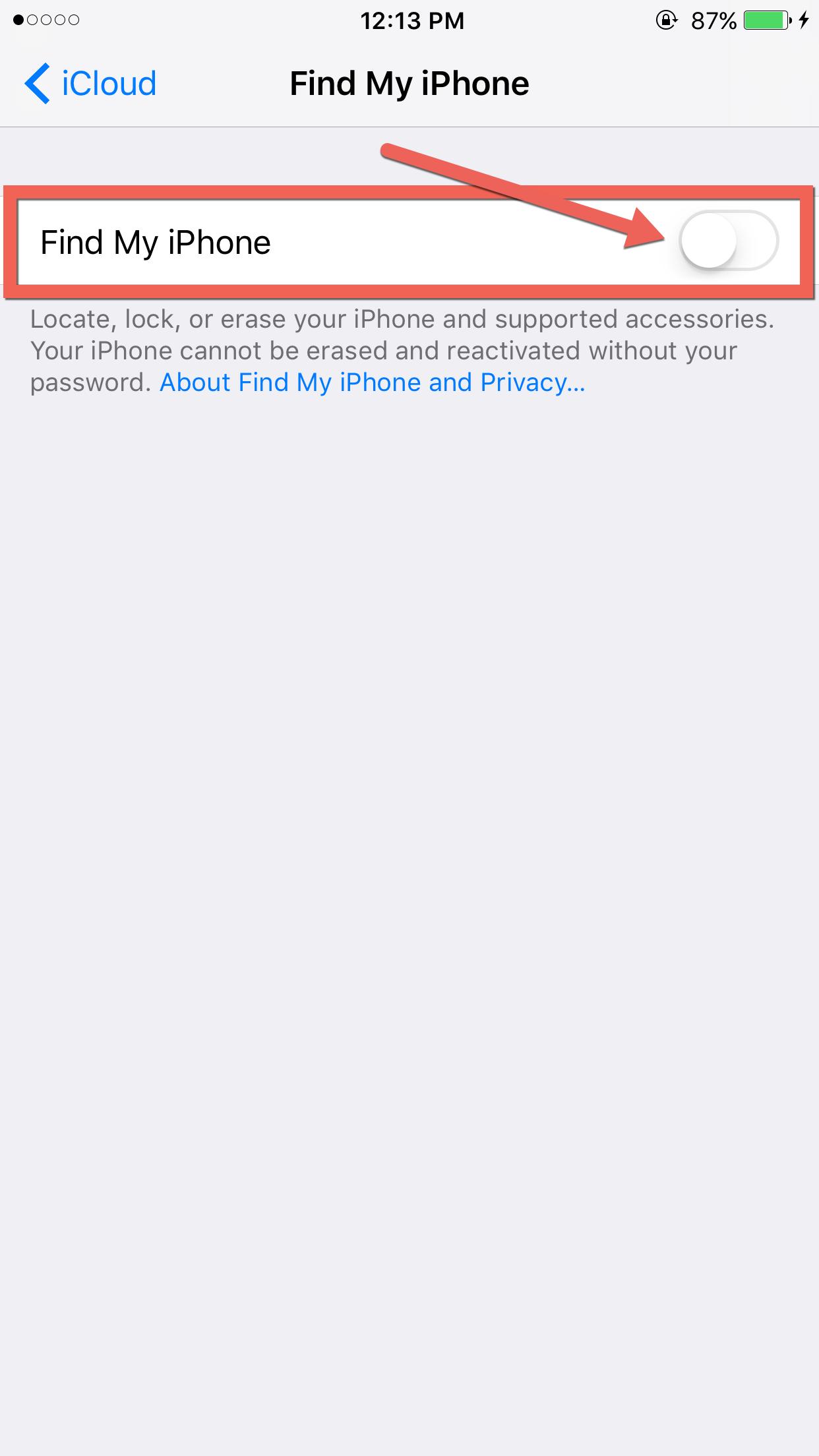
If you can’t turn off Find My iPhone using the device itself, you can turn it off using the cloud:
- If you still have your iPhone, power it off.
- From computer or tablet, go to www.icloud.com.
- Sign in to your account with your Apple ID and password (same as your iCloud login).
- Select the Find iPhone icon.
- Click on the All Devices link.
- Click on the device you want to remove.
