To change your plan,
sign in to your online account, select
Plans/Features from the side navigation, and click the
Change Plan link next to the mobile number you want to update.
Note: Only the primary user on the account can perform a plan change online.
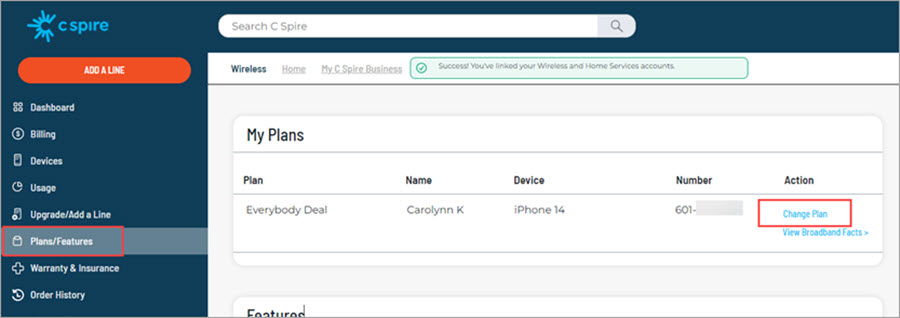
After signing in and selecting
Change Plan on the mobile you want to update, you'll be asked whether you want the plan change to take effect immediately or with the start of your next billing cycle. The default choice is at the start of your next billing cycle.
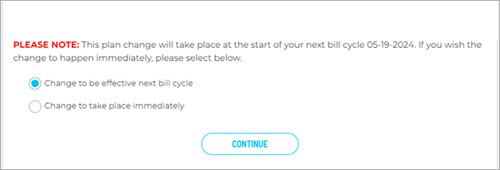
Please note that if you select an immediate plan change, your next bill will have pro-rated charges for a partial month of your current plan and a partial month of your new plan.
Next, you will see the available plans. Select your new plan and click
Change Plan. Follow the prompts to submit your plan change.
If you've chosen to wait for the plan change to become effective, it will happen automatically at the beginning of your next billing cycle.
