By collecting personal information available on social media, sending phishing emails, or finding compromised information on the Internet, scammers can impersonate you with your wireless carrier and request a SIM swap to a new device or port your service to another carrier.
Once a scammer has control of your wireless service, your device will no longer receive calls or text messages. Instead, the scammer's device will be able to receive messages with the two-factor authentication codes and password reset links for your accounts, potentially gaining access to your personal and financial information.
If you suspect that you have been a victim of SIM Swap or Port-Out Fraud, chat with us or call 855-277-4735.
While there is no silver bullet when it comes to data security, in an effort to help minimize the risk of fraud, the primary account holder or an authorized user can enable SIM Change & Port-Out Locks on your C Spire account. Enabling these locks will help protect against online authorization of SIM swaps and port-out requests and will apply to all lines of the account.
The next time you want to upgrade or swap a device on your account, temporarily disable the SIM Change Lock until the upgrade or swap is complete.
Sign in to your online account > Go to Account Settings > Scroll down to SIM Change & Port-Out Lock > enable both options.
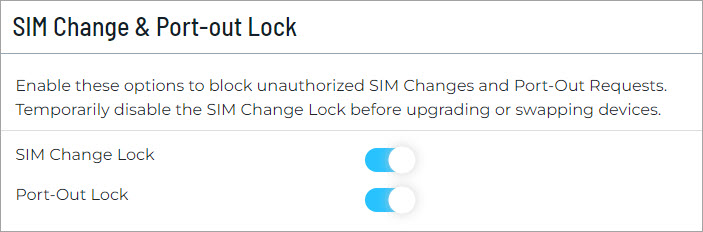
In this example, the SIM Change & Port-Out Locks are enabled.
In addition, any time a SIM swap or port out is requested, we will alert the account holder by email and text message with instructions to contact us if you did not initiate this request.
What else can you do?
Protect yourself from SIM Swap and Port Out Fraud using the same methods you would use to protect yourself from identity theft. Some of which include:
- Be on the lookout for phishing emails. Don’t click links in emails from people you don't know.
- Be suspicious of email or phone requests for personal or financial information.
- Use a unique, strong password for each account.
- Use PIN codes and set up two-factor authentication where available.
- Limit the personal information you post online—information like your mother's maiden name, your high school mascot, and the town where you were born are also answers to common security questions.
